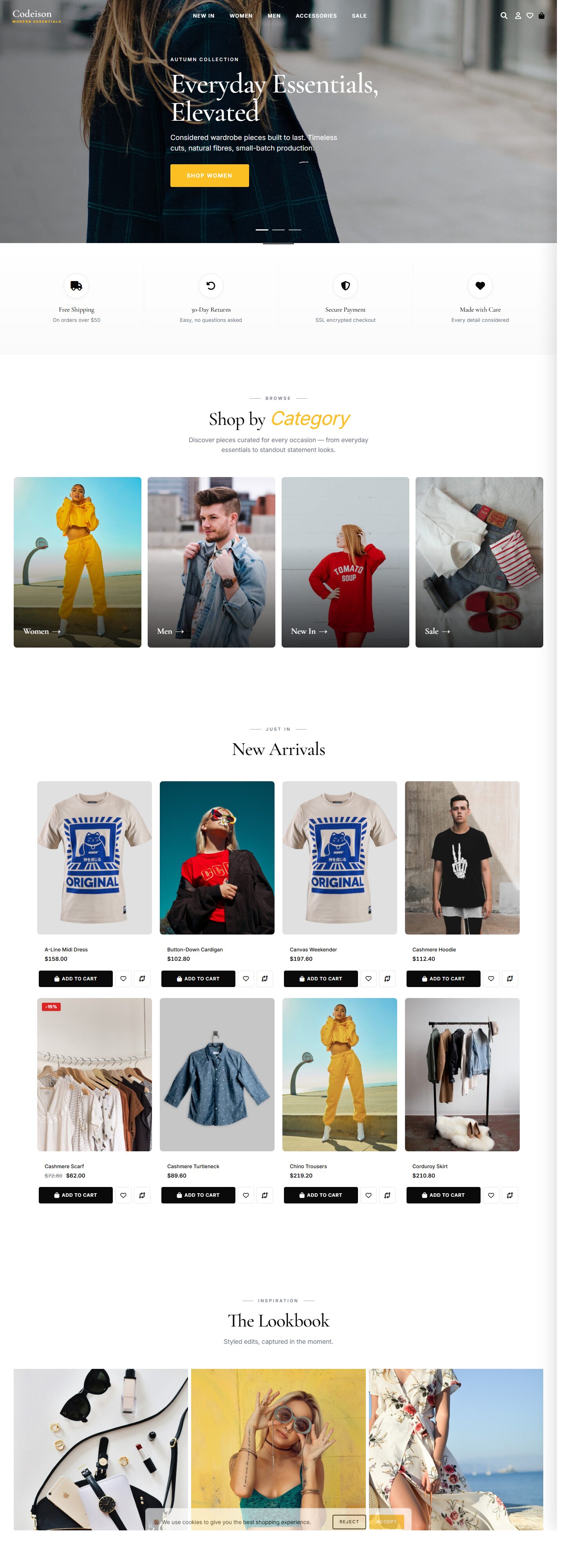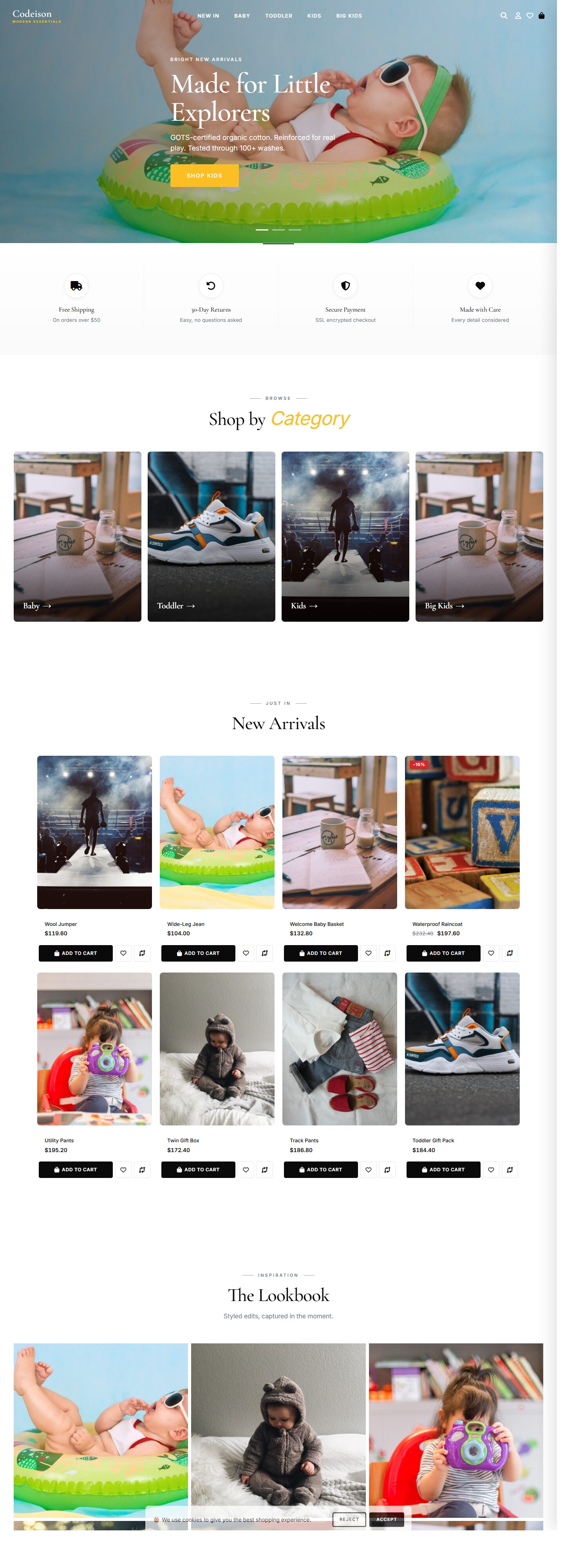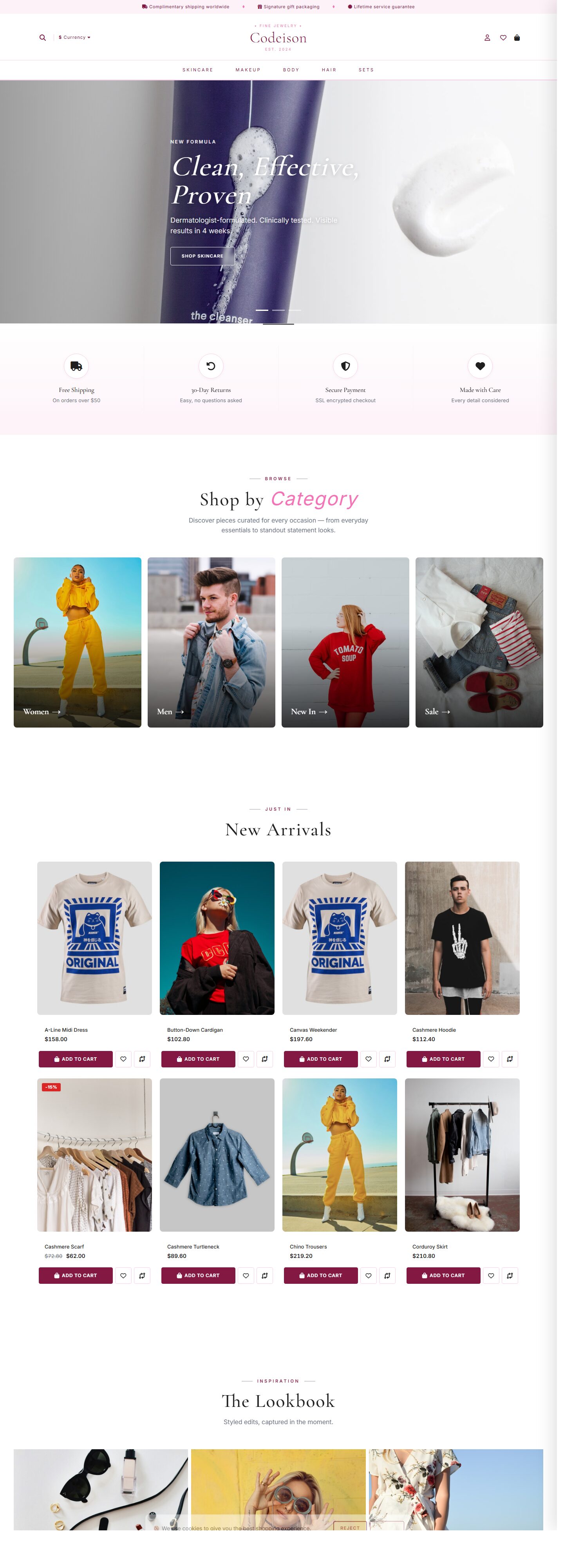
Overview
Most OpenCart 4 themes force beauty sellers into a generic template designed for any industry. The Beauty Clean pack + Luxe layout is the opposite approach: modern Core Web Vitals out of the box first, then the storefront.
The beauty layout is engineered around the specific conversion patterns observed in Luxe catalogs - Serif typography, blush palette, premium positioning.
Who it's for
Designed for marketplace resellers running OpenCart 4.1+. Compatible with standard beauty workflows - inventory, shipping, tax - without theme-side overrides.
Scope: the Beauty Clean content pack is engineered for marketplace resellers catalogs (SKU count 50-500, attribute-heavy filtering, variant-rich products). Paired with the Luxe layout, the render performance is optimised for this category class. Outside the scope - stores with 10,000+ SKUs - we recommend the dedicated Enterprise pack.
What you get
- Performance: Mobile LCP averages 1.9s on 4G; all imagery lazy-loaded + WebP with JPG fallback.
- UX: Zero-click add to cart from category pages; slide-in cart drawer replaces the cart page entirely.
- SEO: Sitemap-friendly URLs; rich snippets, accelerated mobile-page hints, canonical tags.
- Design: Editorial-grade imagery support: full-bleed heroes, lookbook grid, Instagram feed, brand marquee.
- Admin: Theme Picker with 10 one-click combinations, Layout Builder (drag-reorder blocks), Skin Manager (8 palettes).
What you get when you buy
- One ZIP file containing the theme extension plus admin control panel. Upload, install, activate - standard OpenCart flow, no core edits.
- Demo data pack: 60 products, 5 category trees, 29 filter values, product options, and sample reviews - one-click importer handles it all.
- All 10 layout variants ship in the same ZIP - switch from Classic to Editorial to Bold without reinstalling anything. Layout change is a dropdown in admin.
- Skin Manager includes 8 palettes out of the box plus a custom-palette editor. Change the whole store's color scheme in under a minute.
- Support: 12 months of updates via the admin control panel + priority email for bug reports. Optional install assistance available as a paid add-on.
- Analytics integrations prebuilt: Google Analytics 4, Google Tag Manager, Meta Pixel, TikTok Pixel, Pinterest Tag, Microsoft Clarity, Hotjar. Paste the ID, ship.
Why this layout
Layout internals: Luxe. The runtime LayoutRenderer swaps blocks at render time from the PackRuntime overlay - no DB mutation on switch, no redeploy.
Installation and license
Deployment is standard OpenCart - no FTP overrides, no core file edits. Upload through admin, activate the module, customise via the control panel. Licence covers one live domain plus one staging; activation is revocable from the admin.
Live demo: See the Beauty Clean x Luxe combination live. You can switch between all 10 layouts from the demo header to compare before you commit.
What makes this theme different
Frequently Asked Questions
Can I display clinical trial or cruelty-free badges?
Is the theme accessibility-compliant (WCAG)?
How does the ingredient-list display work?
Can I run subscriptions (monthly skincare boxes)?
7 reviews
Recommended to a colleague already. Category hero banners have caption overlay options built in. That was money well spent.
Faster than our old theme out of the box. Admin panel options are grouped logically, didn’t need to dig for settings. No complaints whatsoever.
Installation was straightforward, even for someone not deep into OC. We enabled the sticky add-to-cart on mobile and conversion ticked up a bit. Worth every dollar.
Clean code, no weird hacks in the twig files. The banner editor in admin is simple enough that our marketing lead uses it directly. Looking at the matching extensions next.
Documentation is short but covers what matters. Mobile checkout fields are the right size for thumbs. Thanks from a happy buyer.
Clean code, no weird hacks in the twig files. Newsletter signup form is styled consistently, not bolted on. Definitely a keeper.
The demo matches what you actually get. No bait-and-switch. Product grids auto-balance nicely with mixed image aspect ratios. Very pleased.
Support Information
Support Period
Contact us for support availability details.
Free Updates
Lifetime access to all future updates included with your purchase.
What is included in support?
- Answering questions about how to use the product
- Assistance with reported bugs and issues
- Help with included third-party assets
What is NOT included in support?
- Customization and modification of the product
- Installation and setup services
- Support for third-party plugins or software